

A link in bio page is a small one-page website that holds all your important links in one place. Instagram and TikTok give you very little room in your profile, so you share one link, and that page sends people to your shop, WhatsApp, price list, YouTube channel or latest offer. This guide shows how to make a free link in bio page in about five minutes, what to put on it, and how to know if it's working.
What does "link in bio" mean?
"Link in bio" means "the link is in my profile". Instagram doesn't let you add clickable links to normal post captions, and TikTok gives you very little room too. So people write "link in bio" in a post or video to say: go to my profile and tap the link at the top. That link usually opens a link in bio page with all their links, such as a shop, a WhatsApp chat or the full video.
When you see "check link in bio" on someone's post, open their profile by tapping their name, then tap the link under their bio. If you're the one posting, the link in your profile is the only one most followers will ever tap, so it should lead to a page that gives them every option.
Why you need a link in bio page
- One link, many places. Your bio can point to your catalogue, WhatsApp, delivery details and reviews at the same time.
- You change it, not your bio. When the offer changes, update the page. The link in your profile stays the same.
- It works everywhere. Use the same link on Instagram, TikTok, Facebook, YouTube, your WhatsApp status and printed cards.
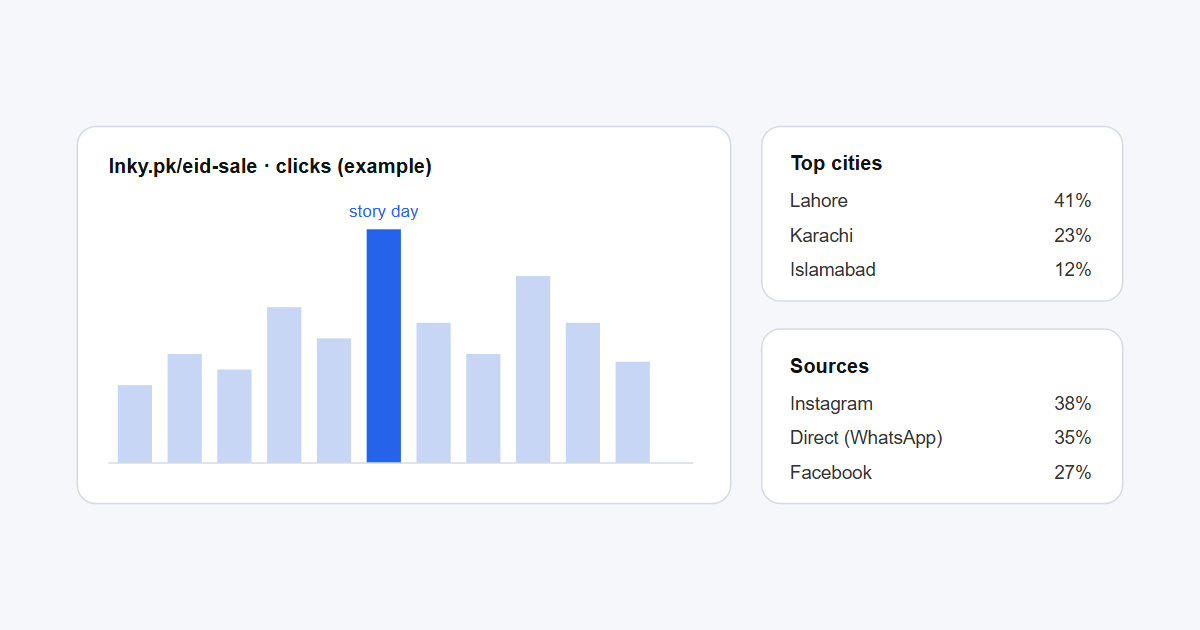
- You see what people tap. Click stats show which button gets used, so you know what your followers want.
How to make a free link in bio page with Lnky
- Create a free Lnky account. The free plan includes one bio page.
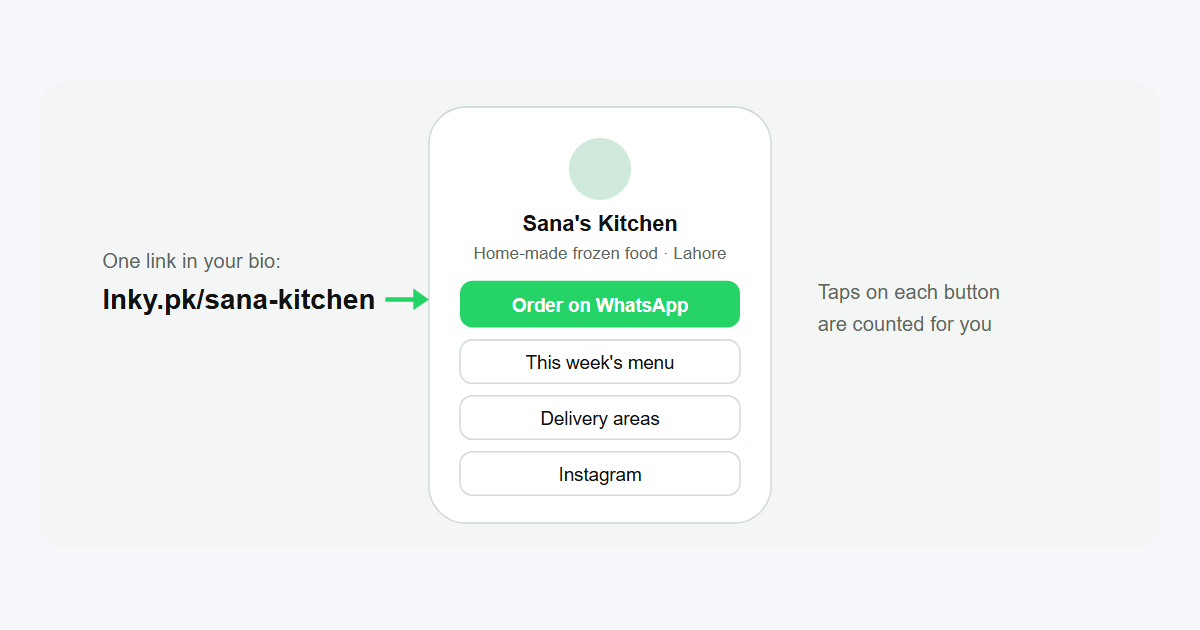
- Open Bio Pages and create a new page. Choose a short name; it becomes your link, for example lnky.pk/sana-kitchen.
- Add your photo, name and one line about you. Say what you sell or make and where you deliver: "Home-made frozen food, delivery in Lahore."
- Add your blocks. Start with three to five links. More on what to add below.
- Pick a theme and colours that match your brand, and preview it on your phone.
- Copy your link and paste it into your bio on Instagram, TikTok and Facebook. Download the QR code for packaging and flyers.
How to add the link to your Instagram bio
- Open Instagram and go to your profile.
- Tap Edit profile.
- Find the Links section, add an external link and paste your bio page link, for example
https://lnky.pk/yourbrand. - Save. The link now shows under your bio for everyone who visits your profile.
Instagram explains this in How do I add a bio or a website to my profile?. On Facebook, add the link in your profile's contact details; on TikTok, use the website field in Edit profile if your account shows one. Use the same link everywhere so all your followers land on one page.
What to put on your link in bio page
Lnky bio pages are built from blocks. These are the ones that work best for small businesses and creators:
- WhatsApp Message button with a ready-made message, so buyers can order in one tap. You can also make a stand-alone chat link with our WhatsApp link generator; WhatsApp explains these links in How to use click to chat.
- Links to your catalogue, Daraz or website, price list (a Google Drive PDF works), booking form or latest video.
- Phone Call and vCard blocks, so people can call you or save your contact.
- Product blocks for your best sellers, with a photo and price.
- FAQs for the questions you answer every day: delivery charges, cash on delivery, sizes, timings.
- Spotify, TikTok and Instagram embeds if you're a creator and want your latest work on the page.
- Contact Form or Newsletter if you collect orders or emails.
- Countdown for a sale, launch or event date.
Put the most important action at the top. For most sellers in Pakistan that is the WhatsApp order button.
Link in bio examples
Home kitchen
Order on WhatsApp · This week's menu (PDF) · Delivery areas and charges · Reviews · Instagram
Clothing brand
New collection · Size guide · Order on WhatsApp · Daraz store · Exchange policy
Tutor or academy
Book a free demo class · Fee structure · Timetable · Location on Google Maps · Call now
Content creator
Latest YouTube video · Spotify playlist · Brand enquiries form · TikTok · Instagram
Tips to get more taps
- Keep it to five to seven buttons. Too many choices and people choose none.
- Write button text as an action: "Order on WhatsApp", not "WhatsApp".
- Mention the link in your posts and stories: "Menu and order link in bio."
- Check your stats every week. Move the most-tapped button to the top and remove the ones nobody uses. Our guide to link tracking explains the numbers.
- Give each campaign its own short link with a custom URL shortener name, so you can see which post or story sent the visits.
Link in bio vs a website
A link in bio page is not a replacement for a full website if you need online payments, a big catalogue or search traffic from Google. But for most small sellers and creators it does the main job, sending followers to the right place, for free and in minutes. Many businesses start with a bio page and add a website later.
Frequently asked questions
What does "link in bio" mean?
It means the link is in the person's profile. Tap their name to open the profile, then tap the link under the bio.
Is the Lnky link in bio page free?
Yes. The free plan includes one bio page with click stats for 30 days. Paid plans add more pages and extra design options.
Can I use my own name in the link?
Yes. You choose the name when you create the page, for example lnky.pk/yourbrand, as long as nobody else has taken it.
Can I add a WhatsApp button?
Yes. Add a WhatsApp Message block with your number and a ready-made message, or a WhatsApp Call block.
Does it work on TikTok and Facebook too?
Yes. It's a normal web link, so you can put it anywhere a link is allowed, and print its QR code for offline use.
.png)